Windows Defender Audit
Follow the steps below to turn on more Defender settings.
01
Copy this command.
It reads your Defender settings and copies them onto the clipboard.
powershell -Command "Start-Process powershell -Verb RunAs -ArgumentList '-NoProfile','-Command','$FormatEnumerationLimit=-1; Get-MpPreference | Out-String -Width 4096 | Set-Clipboard; Start-Sleep -Milliseconds 600'"
02
Hold Windows button & press R, Ctrl + V into box, Enter.
Press 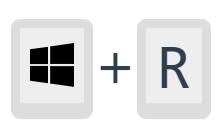 . A small box opens in the corner. Paste with Ctrl and V and press Enter. Windows asks whether to allow changes — click Yes. A window opens briefly and closes itself.
We are here to help. Call (720) 295-3735 for any questions.
03
Paste the results, then send them for review.
A long list of names and values. It stays in your browser — nothing is sent anywhere until you choose to paste it into Claude, a free assistant from another company.
04
Fix what it found.
The AI prompt made in Step 3 will output a PowerShell script.
Open PowerShell as an administrator and run the command.